Tools
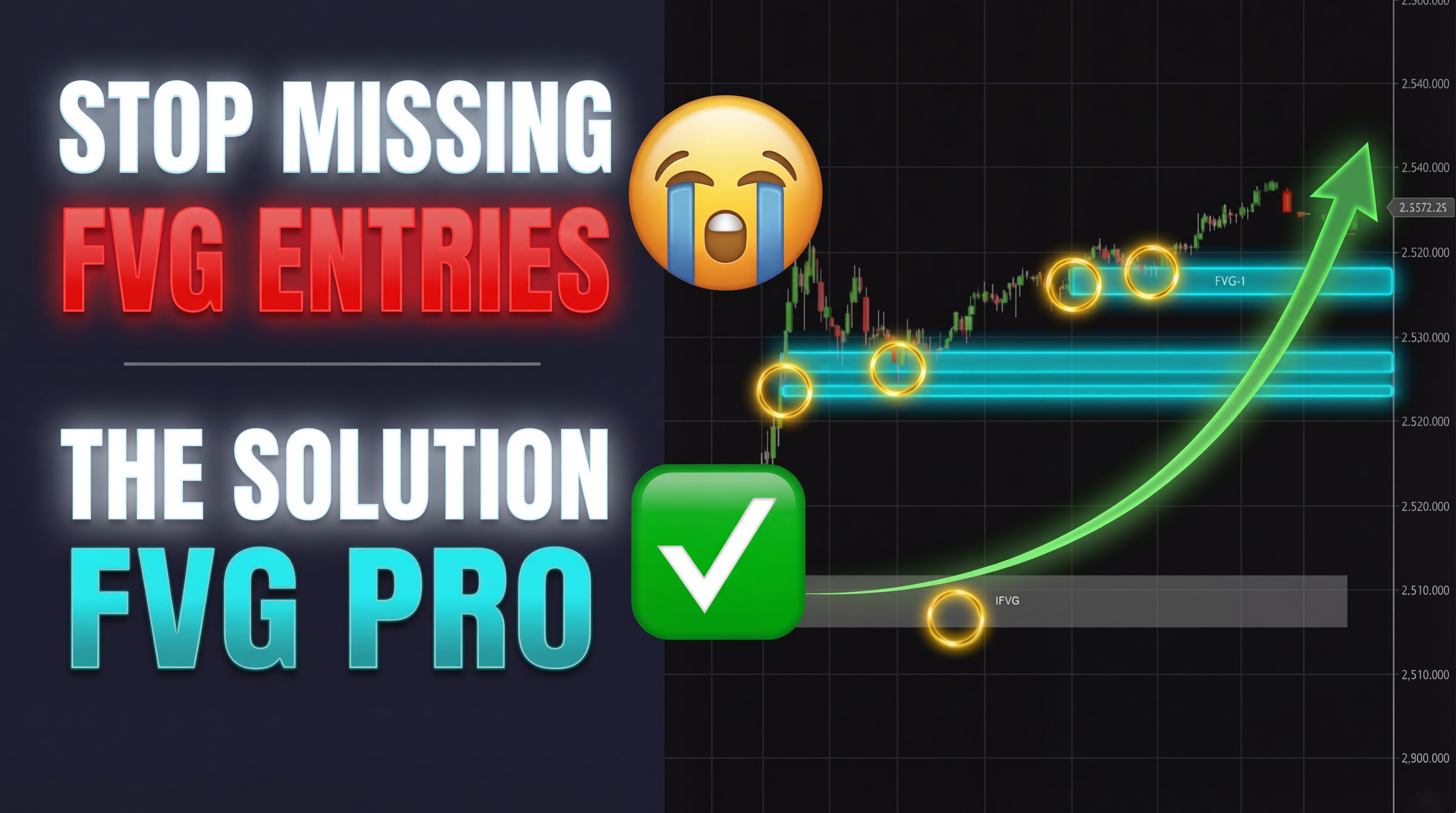
🎯 Stop Missing Fair Value Gaps in Real Time
Manually tracking FVG zones across multiple timeframes under live market conditions is impossible to do consistently — missed setups and hesitation are costing you trades.
😤 The Problem
Scanning for three-candle imbalance patterns manually while the market is moving
Forgetting which zones have already been tested, filled, or inverted
Losing track of the session's key reference zone in the noise of the open
Jumping between timeframes trying to find confluence — and missing the entry
✅ The Solution — FVGPro10v1
Automatically detects, classifies, and displays every Fair Value Gap on your chart the moment it forms — so you can focus entirely on the trade.
📦 Regular FVGs — Every three-candle imbalance, identified instantly
🔄 Inverted FVGs (IFVG) — Zone status updated automatically when price reclaims
♻️ Reclaimed FVGs (RFVG) — Multi-touch zone confirmation tracked for you
🎯 FVG-1 (First FVG of Session) — Your session bias anchor, always visible
🖥️ Multi-Timeframe — See confluence from up to 3 timeframes on one chart
💡 Who Is This For?
Futures traders using Smart Money or ICT concepts
Anyone trading CME Futures
Traders who are tired of manual zone tracking slowing them down
🔍 Feature Breakdown:
📦 Regular Fair Value Gaps
Automatically detects every bullish and bearish three-candle imbalance on your primary timeframe the moment it forms. Zones are color-coded and rendered with full opacity control so your chart stays clean and readable.
✅ Bullish and bearish detection
✅ Customizable colors and opacity
✅ Optional highlight outline for added visibility
🔄 Inverted Fair Value Gaps (IFVG)
When two consecutive FVGs form in the same direction and price closes back through the zone, the indicator automatically reclassifies it as an IFVG — a level that now has the potential to act as resistance or support in the opposite direction.
✅ Auto-reclassification on every bar close
✅ Distinct color coding to separate from regular FVGs
✅ Configurable extension bars so zones stay visible long enough to matter
♻️ Reclaimed Fair Value Gaps (RFVG)
After an IFVG is created, if price reverses back through it in the original direction, the zone is reclassified again as an RFVG — a multi-touch confirmed level with added confluence. Invalid RFVGs are automatically removed from the chart when price invalidates them.
✅ Auto-detection of reclaimed zones
✅ Auto-removal when invalidated — no chart clutter
✅ Configurable invalidation window in bars
🎯 FVG-1 — First Fair Value Gap of the Session
The most powerful feature in the indicator. FVG-1 identifies the very first qualifying Fair Value Gap that forms within your defined trading window each session and marks it as your primary bias anchor for the day.
✅ One zone per session — clean and focused
✅ Extends visually to the end of the trading session
✅ Automatically changes color when inverted — instant bias shift signal
✅ Minimum tick range filter keeps low-quality gaps off your chart
✅ Session-aware — automatically handles full and short trading sessions
🖥️ Multi-Timeframe FVG-1 Confluence
Overlay the First FVG of the session from up to two additional minute-based timeframes directly on your primary chart — no need to switch windows or open separate charts.
✅ Up to 3 timeframes on a single chart
✅ MTF zones rendered at lower opacity to stay visually separated
✅ When multiple timeframe FVG-1 zones stack at the same price — that's your highest conviction trade location of the session
🎨 Full Visual Customization
Every element of the indicator is fully configurable so it fits your chart style and trading workflow.
✅ Individual color control for every zone type
✅ Opacity settings per zone category
✅ Midpoint dashed lines for precision entries
✅ Highlight outlines on regular FVGs
✅ Debug mode for setup validation
⚙️ Technical Specs
Feature | Detail |
|---|---|
🖥️ Platform | NinjaTrader 8 |
📊 Asset Class | Futures (ES, NQ, MES, MNQ + more) |
⏱️ Chart Types | Minute-based timeframes |
🔢 Max Timeframes | 3 (Primary + 2 MTF) |
📅 Session Handling | Auto-detects full and short sessions |
🔁 Calculation | On Bar Close |
📦 Zone Types | FVG, IFVG, RFVG, FVG-1 |
💬 What Traders Are Saying
"I used to spend the first 15 minutes of every session just marking up zones manually. Now my chart is ready before the open." — Futures trader, ES/NQ
"The FVG-1 zone changed how I anchor my daily bias. It's the first thing I look at every morning." — ICT-based trader, MNQ
"Having the 3-minute and 5-minute FVG-1 zones stacked on my 1-minute chart tells me exactly where the highest confluence is. I don't trade without it." — Scalper, ES Futures
❓ Frequently Asked Questions
🔹 What markets does this work on? FVGPro10v1 works on any futures instrument available in NinjaTrader 8. It is optimized for equity index futures — ES, NQ, MES, and MNQ — but will function on any minute-based chart.
🔹 Do I need to be an ICT or Smart Money trader to use this? Not at all. If you understand that price tends to return to areas of imbalance and want those areas automatically marked on your chart, this indicator will work for you regardless of your specific methodology.
🔹 Will it repaint? No. All zones are calculated and drawn on bar close. Nothing repaints or moves after the bar has closed.
🔹 Can I use it on a 1-minute chart and see 3-minute and 5-minute FVG-1 zones at the same time? Yes — that is exactly what the Multi-Timeframe feature is designed for. Load the indicator once on your 1-minute chart and configure the MTF settings to pull in the 3-minute and 5-minute FVG-1 zones automatically.
🔹 What happens to FVG-1 zones when price inverts them? The zone automatically changes color to signal that the original bias has been invalidated. You don't need to manually reassess — the chart updates for you.
🔹 Does it handle short trading sessions like the day after Thanksgiving? Yes. The indicator is calendar-aware and automatically adjusts session end times for known short sessions including Christmas Eve, the day after Thanksgiving, and July 3rd.
🚀 Get FVGPro10v1 Today
Stop leaving money on the table because your chart isn't keeping up with the market.
FVGPro10v1 gives you a real-time, fully automated FVG map — so your only job is to trade.
✅ Instant delivery — download and install in minutes
✅ Full NinjaTrader 8 compatibility
✅ Built and supported by Trademomo
✅ Dedicated support at [email protected]
© Copyright Ellex Capital Inc. 2024. All rights reserved.